Site Reconfiguration
Site Reconfiguration lets you correct the answers given during commissioning — how the fault and transfer wires were installed, and the generator's make, model and serial number — without redoing the setup or swapping the device.
When to Use It
The Fault Wire Installation question asked at commissioning decides how the monitor reads the generator's fault signal. If the wrong option was picked, the monitor is configured for a wiring setup that does not match the installation, and the site can sit in a warning or pending state that no amount of waiting clears.
Use Site Reconfiguration when:
- The fault wire or transfer wire option chosen at commissioning does not match how the wires were actually landed.
- The generator make, model or serial number was entered incorrectly or left blank.
Do not use it to replace hardware. A monitoring device that has been physically replaced needs a Device Swap instead.
Open Site Reconfiguration
- Open the site and select Site Settings.
- Select Site reconfiguration — it sits directly below Swap device.
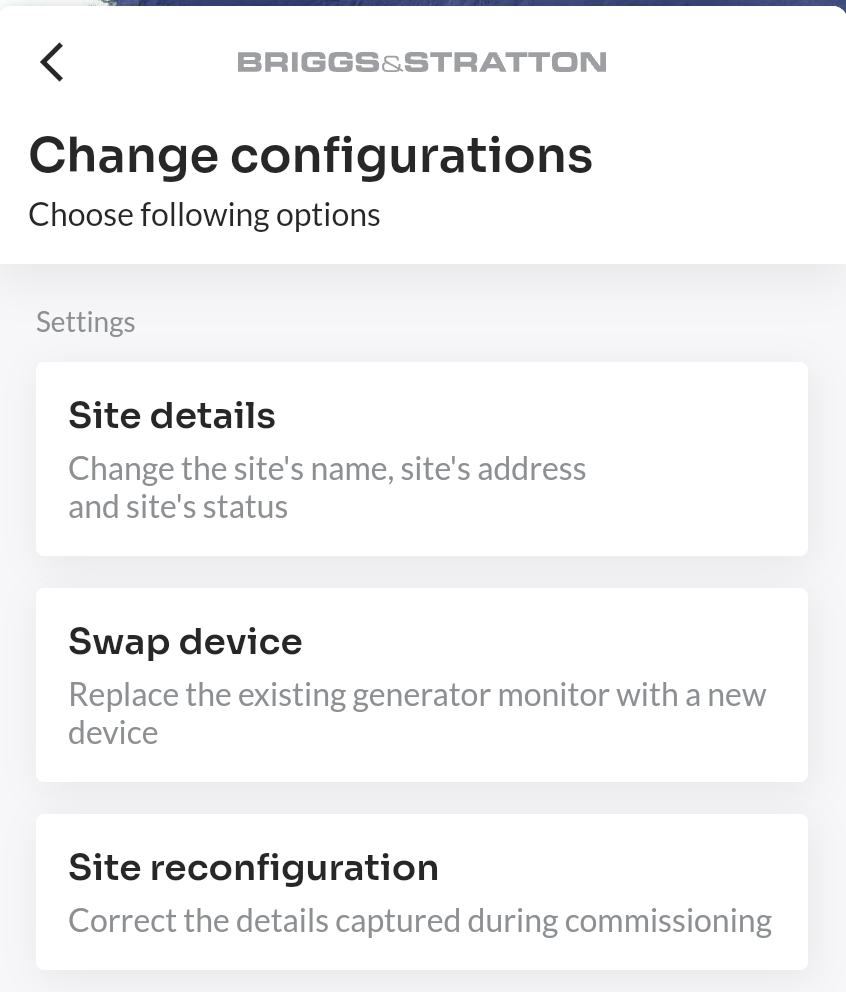
The form opens with the site's current values already filled in.
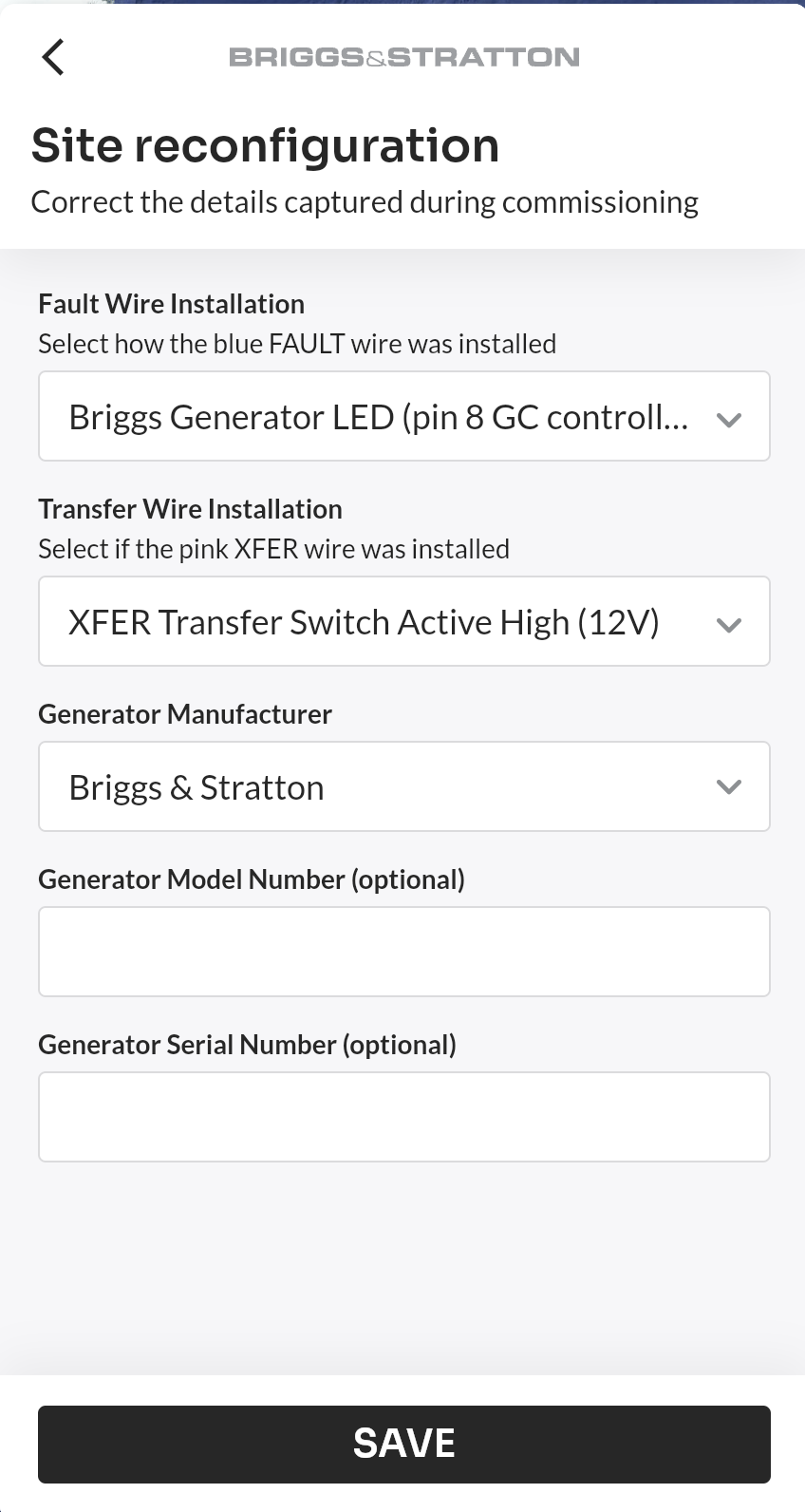
Correct the Configuration
| Field | What it is | Available on |
|---|---|---|
| Fault Wire Installation | How the blue FAULT wire was installed | EnergyTrak Universal kits |
| Transfer Wire Installation | Whether the pink XFER wire was installed | EnergyTrak Universal kits |
| Generator manufacturer | The generator's make | Every site |
| Generator model number | Optional | Every site |
| Generator serial number | Optional | Every site |
The wire questions appear only on sites monitored by an EnergyTrak Universal kit. On InfoHub and factory-installed monitors the wiring is fixed by the hardware, so only the generator details can be edited.
Fault Wire Installation offers the same three options as commissioning:
- Briggs Generator LED (pin 8 GC controller)
- Standard Fault Active High (12V)
- Standard Fault Active Low (Ground)
Transfer Wire Installation offers XFER Transfer Switch Active High (12V) or Not Used.
Save the Changes
- Adjust the fields that are wrong.
- Select SAVE.
- Confirm when the app asks whether to change the site's configuration.
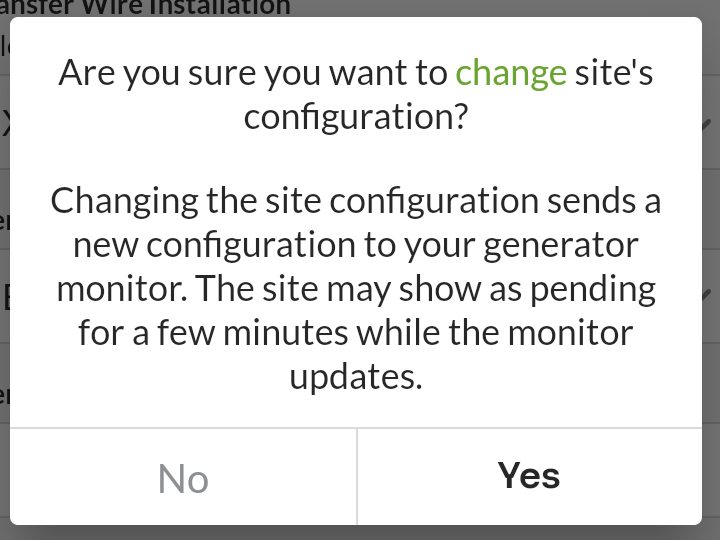
If nothing was changed, the app simply returns to Site Settings — no configuration is sent.
Changing the wire configuration sends a new configuration to the generator monitor. The site may show as pending for a few minutes while the monitor picks it up. This clears on its own once the monitor reports back — no action is needed.
After a successful save the app confirms the update and returns you to the site dashboard.
Who Can Reconfigure a Site
Dealer administrators, dealer technicians assigned to the site, and the system owner can reconfigure a site. The site must already be commissioned.