Device Swap
The Device Swap feature allows Pro Admins and System Owners to replace an existing monitoring device with a new one while preserving all site data and applying any remaining subscription credit from the old device.
Before You Begin
Gather the following before starting:
- The new EnergyTrak Universal device (Model 6943).
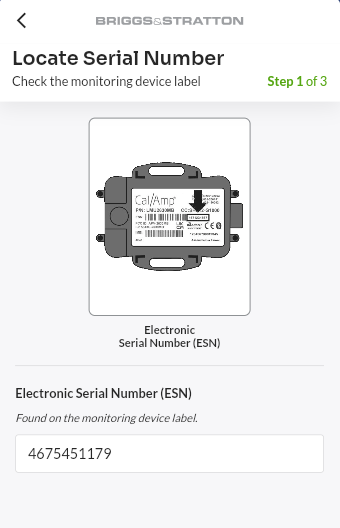
- The new device's Electronic Serial Number (ESN) or EnergyTrak Kit Serial Number, found on the device label or product packaging.
Perform Device Swap
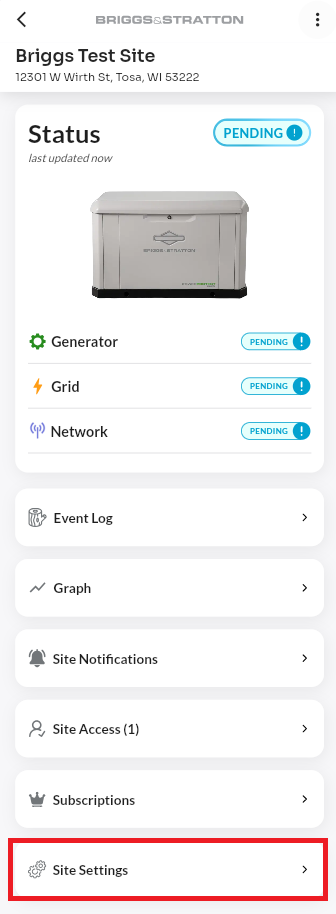
- Navigate to the site where the device will be swapped, then scroll down and tap Site Settings.
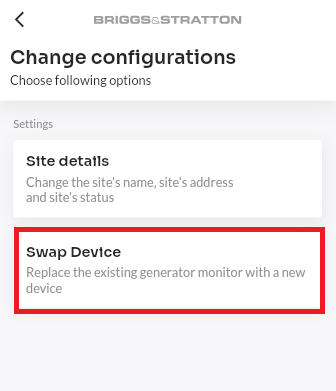
- On the Change Configurations screen, select Swap Device.
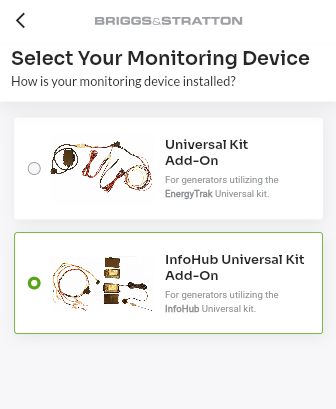
- On the Select Your Monitoring Device screen, select InfoHub Universal Kit Add-On as your current monitoring device.
- On the Locate Serial Number screen, enter the ESN of the new device.
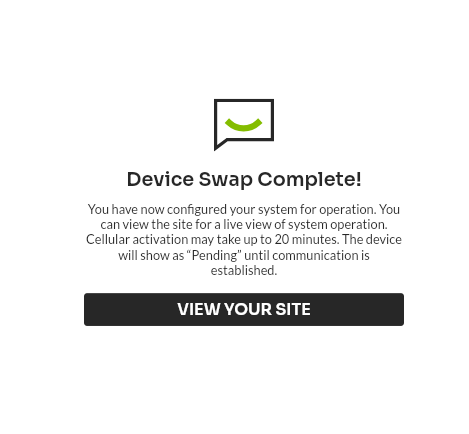
- You will see a Device Swap Complete! confirmation screen once the process is finished. Tap View Your Site to return to the site dashboard.
Note: If your device is eligible for a promotional subscription credit, it will be applied automatically to the new subscription upon completion of the device swap.